AI hiring laws staffing agencies need to know in 2026

AI hiring laws for staffing agencies follow the decision, not the tool. Separate screening from outreach, check local rules, and document your review in 2026.

Staffing agency AI hiring compliance is the process of checking automated recruiting tools against employment, privacy, and local hiring rules so you can place candidates without unlawful screening. AI hiring laws for staffing agencies depend on what the tool does, where the work happens, and how your agency and client use its output—not simply whether a vendor calls it AI.
TL;DR
- AI hiring laws for staffing agencies follow the hiring decision, not the software label.
- Check employment discrimination, accessibility, local screening rules, and candidate data handling before deploying automated assessments.
- StaffingLeads is best for staffing business development, not candidate screening.
- Separate recruitment compliance from client outreach compliance; each workflow needs its own review.
Why AI hiring compliance matters for staffing agencies
A staffing agency sits between the candidate, the technology vendor, and the employer. Your recruiter can reject a candidate before the client ever sees the profile. That makes your screening process part of the employment decision—not just an administrative handoff.
For your 2026 review, separate candidate selection from client acquisition. A tool that ranks applicants raises different questions from software that finds hiring managers. Client acquisition still needs its own controls; the guide to cold outreach under CAN-SPAM rules covers that separate workflow.
Buying a screening tool does not transfer your agency's responsibility to the vendor. Get legal advice on your actual use, including any client instructions that shape selection.
Know which legal frameworks to review
Start with these established frameworks. Requirements vary by state and locality and change; confirm the current rule, coverage, and implementation with your own counsel.
- Federal discrimination law: Title VII of the Civil Rights Act, the Americans with Disabilities Act, and the Age Discrimination in Employment Act remain relevant when technology influences employment decisions. The Equal Employment Opportunity Commission enforces these federal protections within its jurisdiction.
- New York City Local Law 144: Review whether your use meets the law's definition of an automated employment decision tool. The NYC Department of Consumer and Worker Protection administers its requirements concerning bias audits, disclosures, and notices.
- Illinois Artificial Intelligence Video Interview Act: Check applicability before using AI to analyze applicant video interviews. The statute addresses disclosure, explanation, consent, sharing, and deletion obligations within its scope.
- State employment protections: Include applicable state anti-discrimination rules in your review. California's Fair Employment and Housing Act and Illinois's Human Rights Act are relevant examples; counsel should check current provisions addressing automated decisions.
- Background screening: Review the Fair Credit Reporting Act when a third-party report falls within its scope. Do not treat automated background screening as merely another applicant score.
This is a workflow guide, not a legal determination about a particular vendor or deployment.
How to review your staffing agency's hiring workflow
Separate candidate selection from client outreach
Start manually. List every tool your full-desk recruiters use, then document what each tool receives, produces, and changes. Include spreadsheets, browser extensions, video interviews, assessment platforms, and client portals.
Map 3 workflow stages: candidate sourcing, candidate screening, and client outreach. These are inventory categories, not legal exemptions. Automated sourcing can still influence who gets considered, and recruiter approval does not settle whether a tool falls within a particular law.
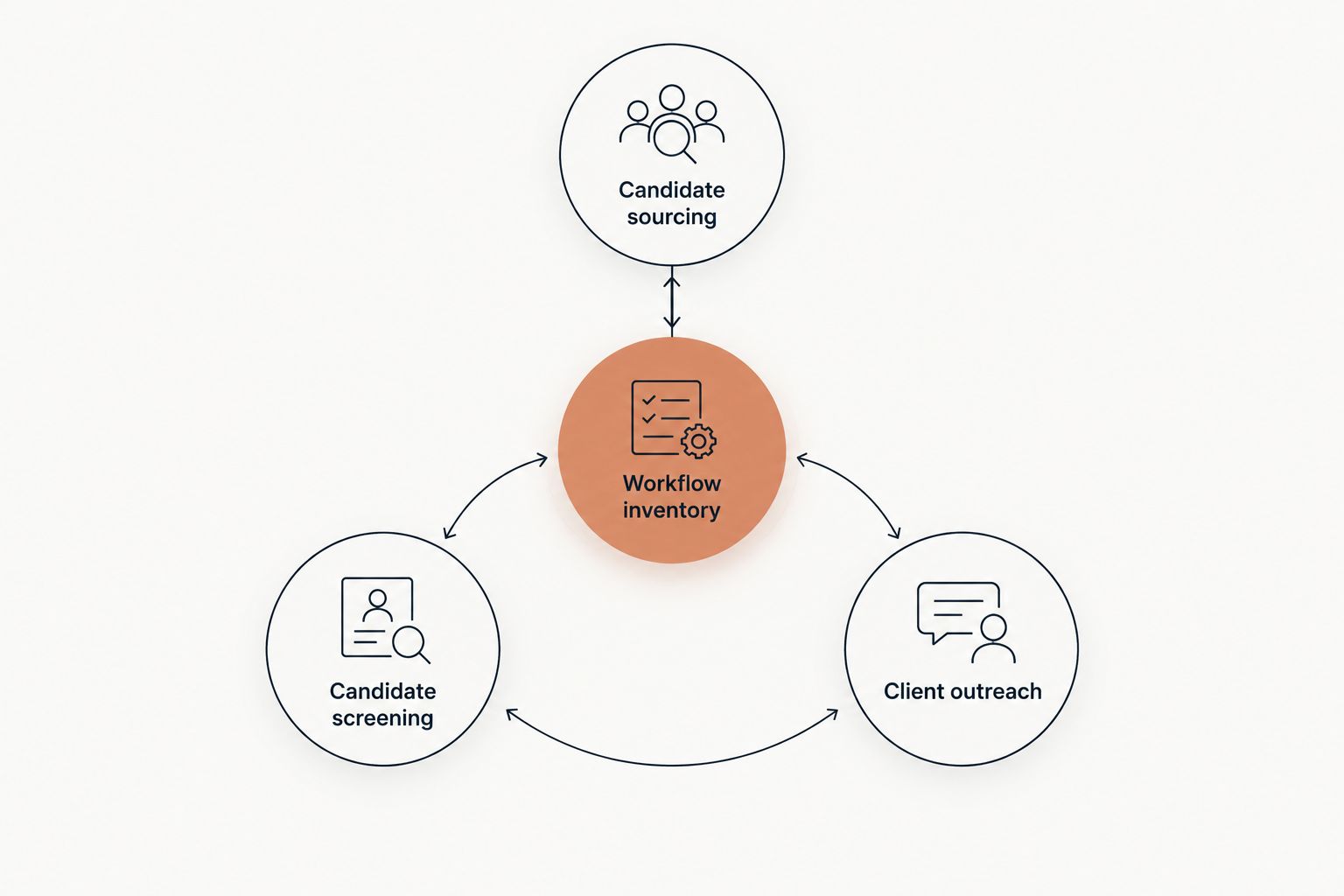
Classify the use before deciding which requirements to review.
For each tool, finish the inventory with:
- The data it receives, including resumes, recordings, assessments, or contact details.
- The output it produces, such as summaries, rankings, recommendations, or messages.
- The person who acts on that output.
- The point where a candidate loses access to an opportunity.
- The agency or client team responsible for the workflow.
Check geography and decision ownership
A manual assignment sheet is enough to start. Record the candidate location, work location, client entity, agency office, and recruiting team. Give that information to counsel rather than choosing the applicable rule from your headquarters address alone.
For a 2026 assignment, ask counsel which geographic connections matter under each relevant law. Remote roles need particular attention because candidate location and intended work location can differ.
A client-provided platform does not answer the ownership question. Document who configures the filter and who makes the rejection.
- Record the role's intended work location.
- Identify the agency and client entities involved.
- Note whether the client requires a specific assessment.
- Document who sets ranking criteria and rejection rules.
- Assign an owner to update the legal applicability record.
Keep business development outside candidate screening
You can monitor hiring announcements, funding news, past-client activity, and professional relationships manually. Keep those account signals separate from applicant assessments. A company expanding its team is a prospecting signal; it is not evidence that a particular candidate should be rejected.
StaffingLeads is best for staffing business development, not candidate screening. StaffingLeads tracks hiring, funding, past-client, and network signals, identifies decision-makers with verified email, and runs email and LinkedIn sequences. It provides a faster path for that outreach workflow, not a replacement for reviewing hiring tools.
Its limitation is equally important: it is not an ATS or CRM. It does not integrate with Bullhorn, Salesforce, or HubSpot.
- Keep account prospecting records separate from applicant evaluations.
- Use hiring signals to prioritize companies, not score candidates.
- Review client outreach under applicable messaging and privacy rules.
- Keep candidate-selection decisions in the appropriate recruiting workflow.
- Do not treat business-development software as a hiring compliance system.
Request evidence before approving screening tools
Start with a written vendor questionnaire. Ask what the tool measures, what data supports its claims, and how your configuration changes the output. A product demonstration shows functionality; it does not establish lawful use.
Keep 4 evidence records for each screening deployment: a purpose statement, an applicability review, a vendor evidence file, and a change log. This is an internal documentation recommendation, not a statutory record count.
For your 2026 review, ask counsel whether an audit, candidate notice, consent process, or disclosure applies. A vendor's generic audit report needs review against the actual tool, use, and jurisdiction.
- Request the tool's intended use and known limitations.
- Obtain available validation and bias-audit documentation.
- Record the version, settings, and selection criteria you use.
- Ask how accommodation requests reach a responsible person.
- Review data retention, deletion, sharing, and contract terms.
Build a usable candidate review process
Manual review starts with job-related criteria and a recruiter who can explain the decision. Define what a reviewer checks before rejecting someone based on an automated recommendation. A checkbox saying human reviewed is not a useful decision record.
Build an accommodation route before launch. Under the ADA, covered entities need to address applicable accommodation obligations; confirm your process with counsel. A candidate should not need to diagnose your software to reach a person.
Recruiter judgment also needs scrutiny. Replacing an unexplained score with an unexplained opinion does not solve the underlying problem.
- Document the role requirements used in screening.
- Train reviewers to question unsupported automated recommendations.
- Provide a clear route for accommodation requests.
- Record the reason for selection or rejection.
- Escalate conflicting scores, inaccessible assessments, and unexplained exclusions.
Recheck configurations and client instructions
Maintain 2 separate registers: hiring compliance and outreach compliance. A shared spreadsheet can hold both, but each needs its own owner, purpose, and review history. This keeps a prospecting update from obscuring a candidate-screening change.
Your 2026 review should cover deployed settings, not just procurement documents. Changing a filter, assessment, ranking weight, or client instruction can change the decision process. Review the change before recruiters use it.
Measure outcomes against job-related criteria and get qualified help interpreting differences across protected groups. Do not create sensitive demographic records casually or assume a simple comparison establishes compliance.
- Log changes to tools, settings, and client requirements.
- Recheck geographic coverage when an assignment changes.
- Review candidate complaints and accommodation requests.
- Investigate unexplained rejection patterns with appropriate expertise.
- Retain required records under a counsel-approved policy.
Compare workflow options before choosing software
Choose the process by its purpose, not by its automation level. Manual screening can still discriminate, and automated screening needs evidence beyond a vendor's assurance. These options serve different jobs; they are not interchangeable substitutes.
| Option | Best for | Strength | Key limitation |
|---|---|---|---|
| Structured manual screening | Agencies establishing job-related review criteria | Recruiters can document and explain individual decisions | Inconsistent judgment still creates risk without training and oversight |
| Automated candidate assessment | Agencies evaluating a defined, job-related capability | Applies a repeatable assessment process | Requires review of validity, accessibility, applicable laws, and actual configuration |
| Client-mandated screening platform | Agencies working inside a client's selection process | Matches the client's required workflow | Agency access to evidence and settings needs to be clarified |
| StaffingLeads business-development software | Agencies finding and contacting potential clients | Uses staffing-specific signals to prioritize decision-maker outreach | Does not manage candidate screening, ATS records, or hiring-law compliance |
Before choosing an assessment, decide what evidence would make you reject the tool. If the vendor cannot explain the output or support your required review, keep the affected selection step manual until the issue is resolved.
Common mistakes staffing agencies make
Treating recruiter approval as an exemption
A recruiter can accept a score without genuinely assessing it. Ask counsel whether the tool's role meets the applicable legal definition; do not assume a person at the end removes the requirement.
Accepting a client's instructions without review
A client can request a filter that creates an unlawful exclusion. Escalate questionable criteria before applying them, and document how the agency and client resolve the issue.
Treating one audit as permission everywhere
An audit has a defined scope. Check which tool, version, use, population, and legal requirement it addresses. Do not carry a vendor's assurance into another deployment without review.
Mixing outreach records with applicant decisions
Prospect contact data and applicant evaluation data serve different purposes. Separate access, retention decisions, and review responsibilities instead of treating every record as a sales lead.
FAQ
Which AI hiring laws should a staffing agency check in 2026?
Start with applicable federal employment discrimination laws, state protections, and local automated hiring rules. Review Title VII, the ADA, and the ADEA, then ask counsel whether rules such as NYC Local Law 144 or Illinois's video interview law apply to your deployment.
Does having a recruiter make the final decision remove AI hiring requirements?
No; recruiter involvement is not a blanket exemption. Counsel needs to assess how the automated output influences selection under the specific law's definition.
Does every resume screening tool need a bias audit?
A bias-audit requirement depends on the applicable law and the tool's actual use. Review coverage, configuration, and jurisdiction with counsel instead of assuming every tool needs the same audit.
Who is responsible when the client supplies the screening software?
The client supplying the software does not settle each party's responsibilities. Document who configures the tool, uses its output, sends notices, and handles candidate requests, then have counsel review those roles.
Does StaffingLeads screen candidates or manage hiring compliance?
No. StaffingLeads is a staffing business-development tool that tracks account signals, identifies decision-makers, and runs email and LinkedIn outreach; it is not an ATS, CRM, or candidate-screening system.
What should a solo recruiter do before using an automated assessment?
Document the assessment's purpose, role in selection, relevant locations, and vendor evidence before deployment. Ask counsel about applicable requirements and establish a candidate accommodation and review process.
Are client outreach tools covered by the same rules as candidate ranking tools?
Client outreach and candidate ranking need separate legal reviews because they perform different functions. Outreach still requires attention to applicable messaging and privacy rules; it is not exempt from review simply because it does not select candidates.
One last thing
Audit the rejection point, not just the software purchase. An agency can approve a tool for summarizing resumes and later use its output to exclude candidates. That change belongs in the review record before it becomes routine.
For every deployment, write down what the tool is allowed to influence. Then compare that statement with what recruiters actually do.
Related guides
Let your agent start the conversations.
StaffingLeads watches hiring, funding, past-client and network signals, finds the decision-maker behind each one, and sends personalised email and LinkedIn outreach in your voice. You pick up the replies.
Start your 14-day free trial →Keep reading
Free, no signup