How to calculate fill rate, time-to-fill and submission ratios

Calculate staffing fill rate, time-to-fill and submission ratios correctly. Use clear formulas, consistent cohorts and checks that expose reporting errors.

Instead of rebuilding placement reports by hand, calculate staffing fill rate, time-to-fill and submission ratios from one opening-level spreadsheet with consistent dates and counting rules. The workflow below separates completed placements from unresolved work, so your 2026 dashboard shows what your recruiting desk actually delivered.
TL;DR
- Calculate staffing fill rate, time-to-fill and submission ratios using opening-level records and a fixed reporting cutoff.
- Fill rate measures completed openings; time-to-fill measures elapsed days; submission ratios measure recruiting funnel conversion.
- StaffingLeads supports staffing business development, not placement reporting or ATS integrations.
- Keep unresolved openings visible; completed-placement averages do not measure the age of your entire pipeline.
Why this matters
A placement count tells you what closed. It does not tell you how much accepted work remains unfilled, how long delivery took, or where candidate submissions stopped progressing. Those questions need different denominators.
Your software choice does not fix inconsistent definitions. The guide to recruiting software for staffing firms covers the broader software category; this workflow focuses on the records and calculations behind your delivery report.
StaffingLeads is best for staffing agencies that need signal-led business development, not an ATS for tracking placements. Keep recruiting delivery metrics in your ATS exports or spreadsheet. StaffingLeads watches hiring, funding, past-client and network signals, identifies decision-makers with verified email addresses, and runs email and LinkedIn sequences.
Before you start
- Get the source records. You need accepted openings, opening dates, successful-start dates, candidate submissions and interview outcomes. Use records you can reconcile to your recruiting desk's source system.
- Write your definitions first. Choose the reporting cutoff, fill event, calendar-day convention and treatment of canceled openings. Apply the same rules throughout your 2026 report.
- Separate requisitions from openings. A requisition requesting several workers is not a single placement opportunity. Create a record for each requested opening; otherwise one start can make a partially filled order appear complete.
This is a spreadsheet workflow, not an integration setup. The bold field names below are custom column headings you create, not claimed menu labels in any vendor's software.
Opening register
Configure the reporting cohort
- Create a sheet named Openings. Add these headings: Opening ID, Opened, Started, Status, Submissions, Interviewed, and Days to fill.
- Assign a unique Opening ID to each accepted placement opportunity. Retain the parent requisition reference separately if several openings belong to the same order.
- Define Opened as the date your agency accepted the opening for delivery. Define Started as the worker's actual start date for this report. Do not mix starts with offer acceptances.
- Select openings accepted during your chosen reporting period. Include unresolved and canceled openings in this accepted-opening cohort; identify them in Status rather than deleting them.
- Set a reporting cutoff in 2026. Count only starts, submissions and interviews recorded by that cutoff. Remove unrelated rows from the calculation sheet and keep the original export unchanged.
Expected result: Each row represents one accepted opening, and every outcome belongs to the same reporting cohort and cutoff.
Keep replacement assignments distinguishable. If a replacement creates another delivery obligation, record that obligation separately and document the rule. Do not overwrite the original worker's start date with the replacement date.
Configure candidate-event counts
- Define a submission as a candidate presented to the client for a particular opening. Count the candidate-opening pair once, even if you resend the profile.
- Define Interviewed as submitted candidate-opening pairs that reached a client interview. Count the pair once, not every interview round.
- Enter those counts against the matching Opening ID. Exclude internal recruiter screens from client-interview counts.
- Confirm that every counted interview belongs to a counted submission for that opening. Resolve unmatched events before calculating conversion.
Expected result: Your submission and interview totals measure distinct funnel entries, not email activity or interview rounds.
Metric calculations
Calculate staffing fill rate
- Count the accepted openings in the cohort.
- Count openings with a valid Started date on or before the cutoff.
- Divide started openings by accepted openings and multiply by 100%.
- Label the result Accepted-opening fill rate, with its opening-period dates and reporting cutoff.
Formula: Accepted-opening fill rate = started openings ÷ accepted openings × 100%.
For a Google Sheets layout with Opening ID in column A and Started in column C, use =IFERROR(COUNT(C2:C)/COUNTA(A2:A),"") and format the result as a percentage. This assumes every populated row is an included opening and every start date is a valid spreadsheet date.
Expected result: The percentage describes how much accepted work reached a worker start. Unresolved and canceled openings remain in the denominator under this definition.
If you also need a cancellation-adjusted rate, calculate it separately and name the exclusion. Never replace the accepted-opening figure without showing what you removed. A denominator change can improve the displayed percentage without producing another placement.
Calculate time-to-fill
- Confirm that Opened and Started are valid date values, not text.
- In Days to fill, subtract the opening date from the start date for completed openings.
- Leave unresolved openings blank in this column. Track their age separately.
- Report both the average and median completed-opening duration, alongside the completed-opening count.
Formula: Time-to-fill in calendar days = actual start date − accepted-opening date.
With Opened in column B and Started in column C, enter =IF(OR(B2="",C2=""),"",C2-B2) in G2 and copy it down. Use =IFERROR(AVERAGE(G2:G),"") for the mean and =IFERROR(MEDIAN(G2:G),"") for the median.
Expected result: Completed openings show elapsed calendar days. A same-day start produces 0 days under this subtraction convention; blank values represent incomplete records, not instant fills.
The mean captures the effect of long-duration fills. The median shows the middle completed duration. Neither includes openings that have not started, so neither measures the age of your whole workload.
Calculate submission ratios
- Sum Submissions and Interviewed across the same opening cohort.
- Divide interviewed candidate-opening pairs by submitted candidate-opening pairs for submission-to-interview conversion.
- Divide total submissions by started openings for submissions per start.
- Display the underlying counts next to each ratio. Leave ratios undefined when their denominator is zero.
Submission-to-interview conversion = interviewed candidate-opening pairs ÷ submitted candidate-opening pairs × 100%.
Submissions per start = submitted candidate-opening pairs ÷ started openings.
With Submissions in column E and Interviewed in column F, use =IFERROR(SUM(F2:F)/SUM(E2:E),"") for interview conversion. Format it as a percentage. Use =IFERROR(SUM(E2:E)/COUNT(C2:C),"") for submissions per start.
Expected result: You see both progression to client interviews and the submission volume associated with starts achieved by the cutoff.
Call the second metric cohort submissions per start. It includes submissions against unresolved openings, so it is not a candidate-level probability of placement. As a 2026 cohort develops, later starts can change that ratio without changing its earlier submission total.
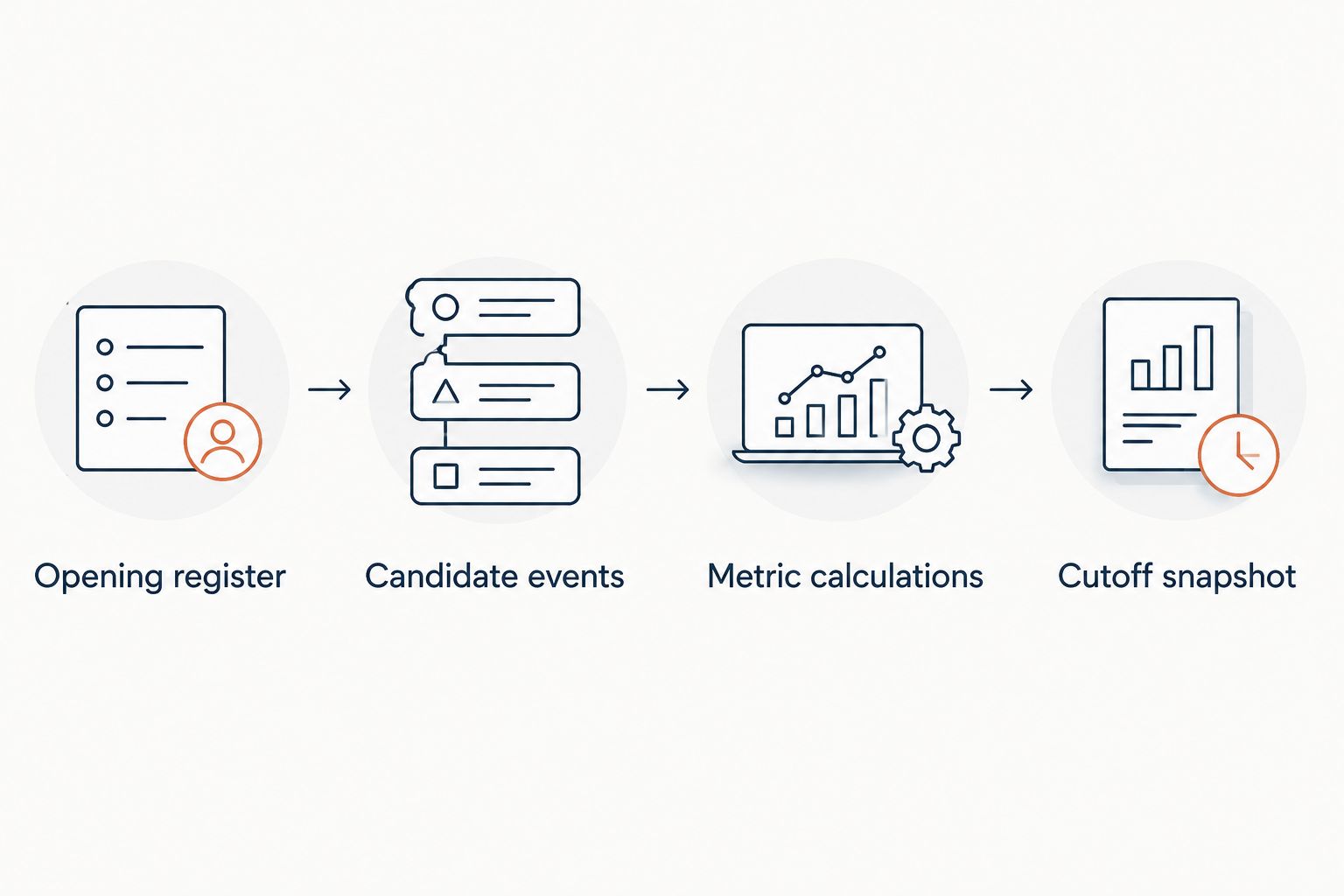
Fix the cohort and counting rules before interpreting the ratios.
Monthly completion report
The opening-cohort workflow answers what happened to work accepted during a period. A monthly completion report answers what your desk delivered during that month. Both are useful, but they are not interchangeable.
| Reporting method | Best for | Strength | Limitation |
|---|---|---|---|
| Opening cohort | Assessing delivery against accepted work | Keeps completed and unresolved openings together | Outcomes remain incomplete at the cutoff |
| Completion period | Reviewing starts delivered during a month | Shows completed throughput and completed durations | Excludes openings that have not started |
To build the adjacent workflow:
- Select records by Started date instead of Opened date.
- Calculate time-to-fill using each completed opening's original acceptance date.
- Count starts delivered during the selected month.
- Keep opening-cohort fill rate in a separate report; do not divide monthly starts by monthly new openings and label it fill rate.
Expected result: Your 2026 monthly report shows delivered starts, while your cohort report shows delivery against accepted obligations.
A start completed this month can belong to an opening accepted earlier. Mixing those populations produces a ratio that does not describe either cohort accurately.
Troubleshooting
Fill rate exceeds 100%
You counted more successful starts than accepted openings. Check for duplicate start records, replacement starts added to original openings, or requisitions treated as single openings. Reconcile each numerator record to one opening in the denominator.
Time-to-fill shows negative days
The start date precedes the acceptance date, or the spreadsheet parsed a date incorrectly. Check the source dates and spreadsheet locale. Correct the record; do not hide the error by taking an absolute value.
Interview conversion exceeds 100%
The numerator and denominator use different units or populations. Interview rounds, duplicate events or interviews outside the cutoff can inflate the numerator. Recount unique candidate-opening pairs using the same cohort.
A ratio disappears or shows a division error
Its denominator is zero, or the source values are stored as text. Check the underlying counts before changing the formula. No submissions means conversion is undefined, not zero performance.
The dashboard improves while old openings remain unresolved
Completed-only time-to-fill leaves unfinished work out of the calculation. Add an unresolved-opening view with age measured from Opened to the cutoff. Keep canceled openings separate from still-active openings so your team knows which records need action.
Customize your workflow
Cutoff snapshot
Save the cohort totals and cutoff date when you publish each report. Preserve the calculation rules with the snapshot. Later placements should update the live view without silently rewriting the historical report.
Compare like with like in 2026. Segment by staffing vertical, client, recruiter and operating model, but always show the opening count. A percentage without its denominator conceals how much work it represents.
Delivery and business development
Use delivery metrics to decide what work your desk can support. Low fill rate calls for checking unresolved and canceled openings; weak interview conversion calls for checking submission fit and client feedback. The metrics identify where to investigate, not the cause by themselves.
StaffingLeads handles staffing business development rather than recruiting delivery reporting. Keep those responsibilities separate: business development identifies relevant prospects; your delivery records establish what happened after an opening was accepted.
Connect the report to your staffing desk P&L using your own completed placements and financial records. A better conversion ratio alone does not establish desk profitability.
FAQ
How do I calculate staffing fill rate?
Divide started openings by accepted openings in the same cohort, then multiply by 100%. State the reporting cutoff and whether canceled openings remain in the denominator.
What dates should I use for time-to-fill?
For this workflow, subtract the agency's accepted-opening date from the worker's actual start date. An offer-acceptance endpoint measures a different interval and needs a separate label.
What does a submission-to-interview ratio measure?
Submission-to-interview conversion measures the share of submitted candidate-opening pairs that reached a client interview. Count each pair once rather than counting repeat submissions or interview rounds.
Should canceled jobs count against staffing fill rate?
Canceled openings remain in the accepted-opening fill rate defined here. You can also publish a cancellation-adjusted rate, but identify the excluded openings and retain the original figure.
Can I divide this month's placements by this month's new jobs?
That calculation is not an opening-cohort fill rate unless the placements belong to those same openings. Report monthly starts separately from delivery against a defined accepted-opening cohort.
Does StaffingLeads calculate these metrics inside an ATS?
StaffingLeads is a staffing business-development tool, not an ATS or CRM. Use your recruiting records or spreadsheet for placement reporting; it has no integrations with Bullhorn, Salesforce or HubSpot.
What is a good staffing submission ratio?
Set a reference point from your own consistently defined historical cohorts. Compare the same vertical, role type and operating model, with submission and start counts visible beside the ratio.
One last thing
A faster completed-fill average can coexist with an aging unresolved pipeline. Before celebrating your next 2026 report, put completed time-to-fill beside unresolved-opening age. The first measures delivered work; the second shows work still waiting for a result.
Related guides
Let your agent start the conversations.
StaffingLeads watches hiring, funding, past-client and network signals, finds the decision-maker behind each one, and sends personalised email and LinkedIn outreach in your voice. You pick up the replies.
Start your 14-day free trial →Keep reading
Free, no signup