How do you avoid spam filters when emailing hiring managers?

Fix authentication, warm-up pace, and list quality before subject lines. The exact steps to keep hiring-manager emails out of spam filters, updated for 2026.

Avoiding spam filters when emailing hiring managers comes down to three fixes, in this order: domain authentication (SPF, DKIM, DMARC), a slow sending ramp on any new domain, and a verified, targeted list instead of scraped or purchased contacts. Most staffing outreach gets flagged not because of one bad subject line but because a brand-new domain blasts 150+ near-identical emails in a day to addresses nobody confirmed. Fix authentication first since it's the single biggest lever, then slow the ramp and clean the list before you touch copywriting.
TL;DR
- Avoiding spam filters when emailing hiring managers starts with SPF, DKIM, and DMARC records, not clever subject lines.
- New sending domains need a gradual ramp — fast volume from day one is the top deliverability killer in 2026.
- Purchased or scraped lists spike bounce and complaint rates, which tanks the whole domain's reputation.
- StaffingLeads verifies hiring-manager emails before outreach, which keeps bounce rates low from the first send.
Why this matters
A hiring manager who never sees your email can't book a call, and full inboxes don't forgive slow domains or dirty lists. Gmail, Outlook, and Yahoo all tightened bulk-sender rules over the past two years, and staffing agencies running cold outreach without proper authentication and list hygiene get throttled or blocked before a recruiter ever notices the drop in replies. This isn't a one-time setup — it's a standing discipline every agency running email business development in 2026 has to maintain.
How do you avoid spam filters when emailing hiring managers?
Work through these steps in order. Skipping the first two and jumping straight to "better subject lines" is why most fixes fail.
- Authenticate your sending domain. Set up SPF, DKIM, and DMARC records for the domain you send from. This tells Gmail and Outlook that the mail actually comes from you and isn't spoofed — it's the check every major inbox provider runs before anything else.
- Warm up new or dormant domains slowly. A domain with no sending history should start small — think a couple dozen emails a day in week one — and step up gradually over several weeks rather than jumping to full volume immediately. Sending inboxes reward consistent, growing volume and punish sudden spikes.
- Use a verified, targeted list. A list of scraped or purchased hiring-manager addresses without email verification produces high bounce rates, and bounce rate is one of the clearest signals spam filters use to judge a sender. This is also where buying B2B contact data legally and safely matters — bad data sources create both a deliverability problem and a compliance one.
- Match volume to domain reputation. A domain that's been sending clean, low-bounce mail for months can handle far more volume than one still in its first weeks. Scale up as your bounce and complaint rates stay low, not on a fixed calendar.
- Write plain, specific emails. Skip ALL CAPS, excessive exclamation points, spammy phrases ("act now," "free," "guarantee"), and link-stuffed signatures. Filters weigh content patterns alongside sender reputation, and generic mass-email formatting reads as bulk even when the list is small.
- Monitor and prune weekly. Pull bounce, complaint, and spam-report numbers every week and remove addresses that bounce. A domain that keeps hitting dead addresses never builds the reputation needed to land in the primary inbox.
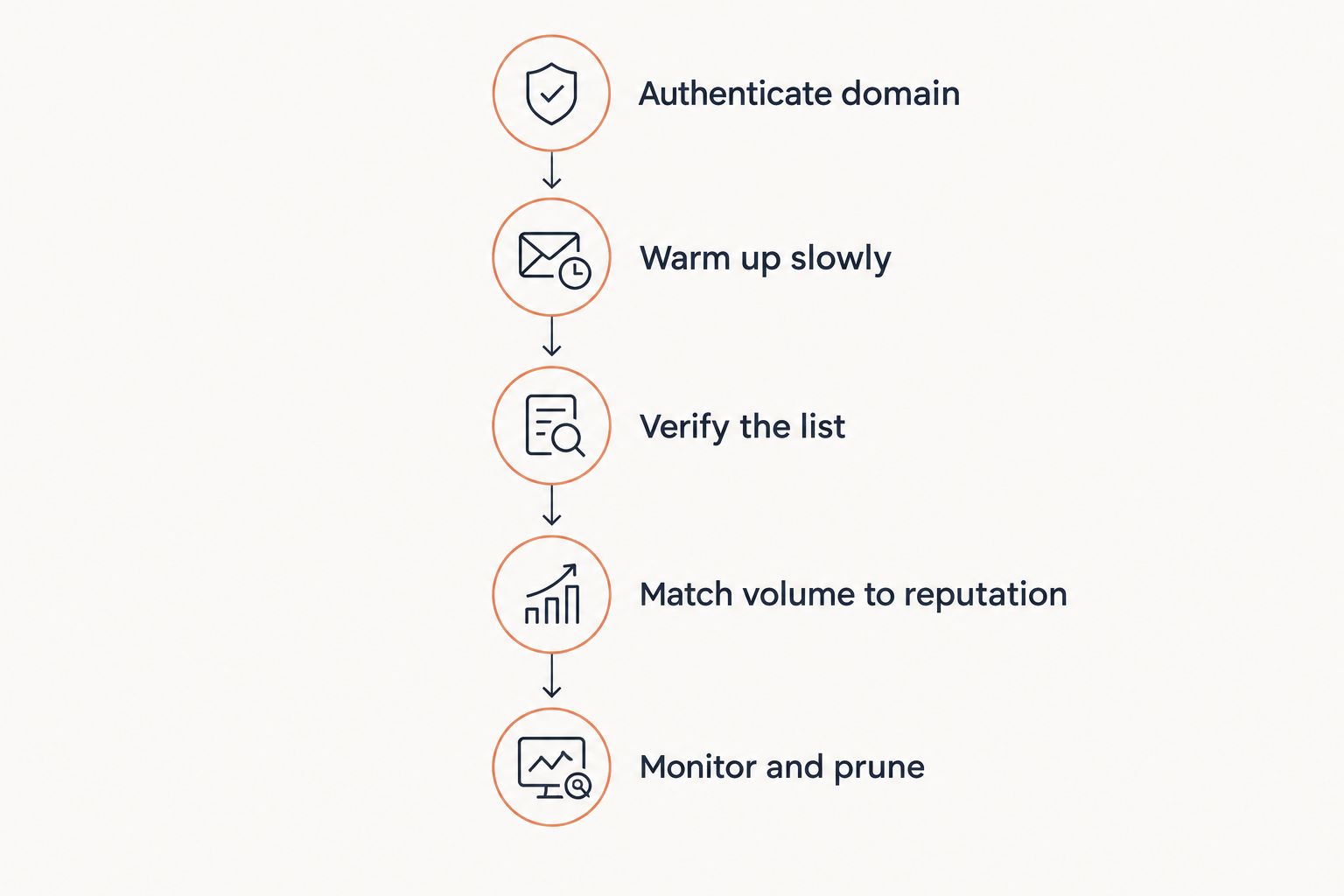
Authentication and warm-up come before copywriting, not after.
Why hiring-manager emails get flagged as spam
Spam filters don't read minds — they read patterns. These are the patterns that trigger flags most often for staffing outreach specifically:
- No SPF/DKIM/DMARC records — the domain looks unauthenticated, which is an automatic red flag for bulk senders.
- Sudden volume spikes — a domain that jumps from 10 emails a day to 300 overnight looks like a spam campaign, not a business.
- High bounce rate from unverified lists — every bounce is a signal the sender didn't check who they're emailing.
- Identical copy sent at scale — the same template to hundreds of hiring managers with no personalization reads as bulk mail, not outreach.
- Low engagement — recipients who never open or reply, or who mark mail as spam, drag the sender's reputation down over time.
- Missing unsubscribe or reply-to path — legitimate business email has a clear way to opt out; mail that doesn't often gets treated as spam by default.
Does a verified contact list actually change deliverability?
Yes — a verified list changes deliverability directly because bounce rate is one of the strongest signals inbox providers use to score a sender. Every hard bounce from a dead or scraped address tells Gmail and Outlook the sender isn't checking their data, and enough bounces push future mail from that domain into spam by default. This is the core reason staffing lead generation built for accuracy, not volume matters more than list size once you're running cold outreach at any real scale.
Is cold-emailing hiring managers legal?
Cold-emailing hiring managers is legal in the US under CAN-SPAM as long as the message includes accurate sender information, a working opt-out method, and honest subject lines. Requirements can shift and vary by how the email is used, so confirm the current rule with counsel before scaling outreach — the details of running staffing cold outreach within CAN-SPAM go deeper into what a compliant message actually needs.
Should recruiters use a separate domain for cold outreach?
A separate sending domain protects your main company domain's reputation if something goes wrong with the outreach campaign. If the outreach domain gets flagged, your primary domain — the one hiring managers see when they check you out — stays clean and unaffected.
StaffingLeads doesn't run outreach on your behalf as an ATS or CRM replacement — it identifies the decision-maker at a company that's actively hiring or just got funded, verifies their email, and runs the send. Starting from a verified, targeted contact instead of a scraped list is the single biggest deliverability advantage a staffing agency can build into outreach before it ever leaves the outbox.
Find verified hiring-manager contacts
See which companies are hiring or funded, with a verified decision-maker email.
FAQ
How do you avoid spam filters when emailing hiring managers?
You avoid spam filters by authenticating your sending domain with SPF, DKIM, and DMARC, warming up new domains slowly, and sending to a verified list instead of scraped or purchased contacts. Content matters too, but it's the last lever, not the first.
What is DMARC and do staffing agencies need it?
DMARC is an email authentication record that tells inbox providers what to do with mail claiming to come from your domain but failing SPF or DKIM checks. Staffing agencies sending cold outreach at any volume in 2026 need it, since Gmail and Outlook both enforce it for bulk senders.
Is cold emailing hiring managers legal under CAN-SPAM?
Cold emailing hiring managers is legal under CAN-SPAM when the message has accurate sender identity, a working opt-out, and non-deceptive subject lines. Rules can vary by how the campaign is run, so confirm current requirements with counsel before scaling.
How many cold emails should a new domain send per day?
A brand-new domain should start with a small daily volume and increase gradually over several weeks rather than sending at full volume immediately. Ramping too fast is the most common reason new domains land in spam within their first month.
Does buying an email list hurt deliverability?
Buying an unverified email list hurts deliverability because it raises bounce rates, and bounce rate is one of the clearest signals spam filters use to score a sender. Verified, targeted data protects the domain's reputation in a way a cheap bulk list never will.
What words trigger spam filters in recruiting emails?
Phrases like "act now," "free," "guarantee," and excessive exclamation points or all-caps subject lines raise spam scores. Plain, specific language about the role or company reads as legitimate business mail instead of bulk marketing.
Should recruiters use a separate domain for cold outreach?
A separate domain for cold outreach protects your main company domain if the outreach domain gets flagged or blocked. It's standard practice for agencies running any volume of hiring-manager email outside their primary business address.
Does LinkedIn outreach avoid spam filters entirely?
LinkedIn messages don't pass through email spam filters, but LinkedIn has its own limits on connection requests and InMail volume that function the same way. Combining email and LinkedIn outreach spreads risk across two channels instead of one.
One last thing
The fix most agencies skip is the cheapest one: checking bounce rate weekly instead of monthly. A domain that lets bounces pile up for four weeks before anyone looks is already flagged by the time someone notices reply rates dropped — by then the fix takes longer than the warm-up did in the first place. Treat list verification as a weekly habit, not a one-time cleanup, and the domain reputation problem mostly stops recurring.
Related guides
Let your agent start the conversations.
StaffingLeads watches hiring, hard-to-fill, funding, leadership, past-client and network signals, finds the decision-maker behind each one, and sends personalised email and LinkedIn outreach in your voice. You pick up the replies.
Start your 14-day free trial →Keep reading
Free, no signup